


News & Events

Essential Preventive Maintenance for Solar Inverters Guide

preventive maintenance for solar inverters

Table of Contents

If you own or operate a solar PV system, you know how critical the solar inverter is. It’s the heart of your system, converting DC electricity from your panels into usable AC power for your home or business. But like any piece of technology, it needs care. That’s where preventive maintenance for solar inverters comes in. In this guide, I’ll walk you through everything you need to know to keep your inverters healthy, efficient, and reliable.

Why Preventive Maintenance for Solar Inverters Matters

Solar inverters are tough, but they aren’t invincible. They face heat, dust, electrical stress, and sometimes even wildlife intrusions. Skipping maintenance can lead to:

  • Unexpected downtime
  • Reduced system efficiency
  • Costly repairs or replacements

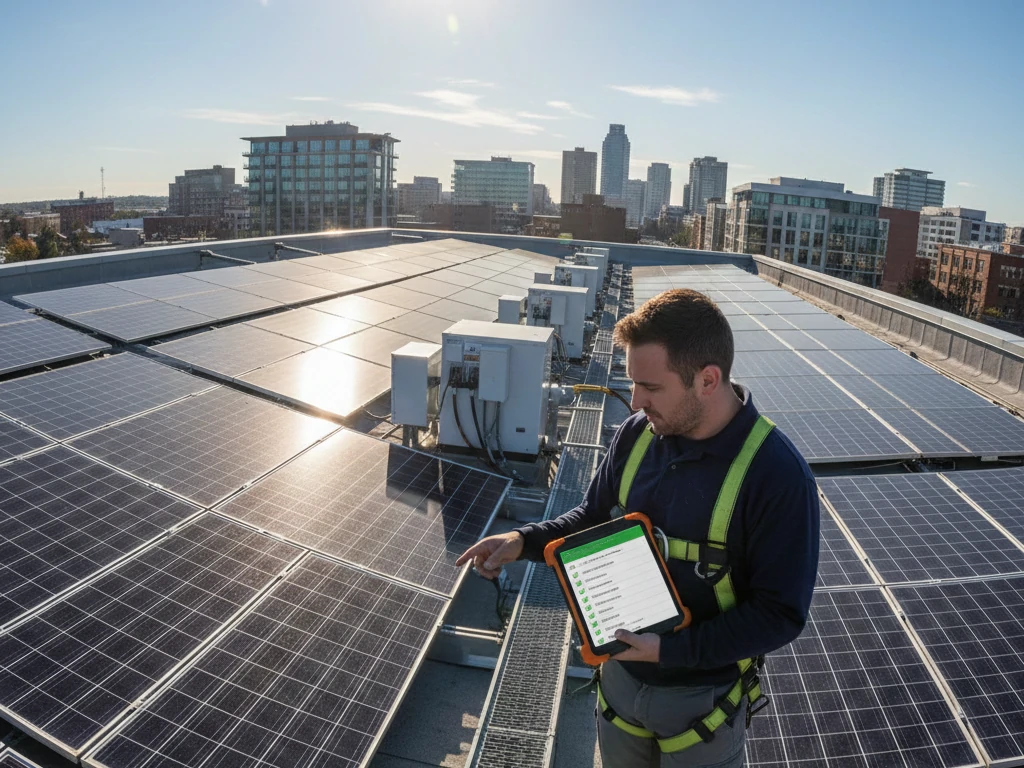
Think of preventive maintenance like a health check for your PV system. Catching small issues before they snowball can save a lot of headache—and money—down the road.
Benefits of Preventive Maintenance

  1. Extended Lifespan: Regular upkeep can help your solar inverter last beyond its expected life.
  2. Improved Efficiency: Clean and properly functioning inverters operate closer to their peak efficiency.
  3. Safety: Early detection of faults reduces the risk of electrical fires or damage.
  4. Better ROI: Less downtime means more energy production, which means more savings.
preventive maintenance for solar inverters

Key Components of Preventive Maintenance for Solar Inverters

Maintaining a solar inverter isn’t just about glancing at it once in a while. To truly protect your PV system and maximize efficiency, a structured approach is essential. Preventive maintenance for solar inverters includes several key components, each targeting a different aspect of inverter performance and longevity. By understanding and implementing these steps, you can prevent costly downtime and ensure your system delivers optimal energy output.

Visual Inspection

The first step in any maintenance routine is a thorough visual check. This might seem basic, but it’s surprising how many issues are caught with just your eyes.

  • Enclosure condition: Look for cracks, dents, or any sign of moisture inside or around the inverter. Moisture intrusion is one of the silent killers of electronics.
  • Connections and wiring: Loose, corroded, or burned connections can lead to energy loss and even electrical hazards. Make sure all terminals are snug and cables show no signs of wear.
  • Indicator lights and display panels: LEDs can reveal fault codes or warnings. Don’t ignore a single flicker—sometimes it’s the first hint of an impending failure.

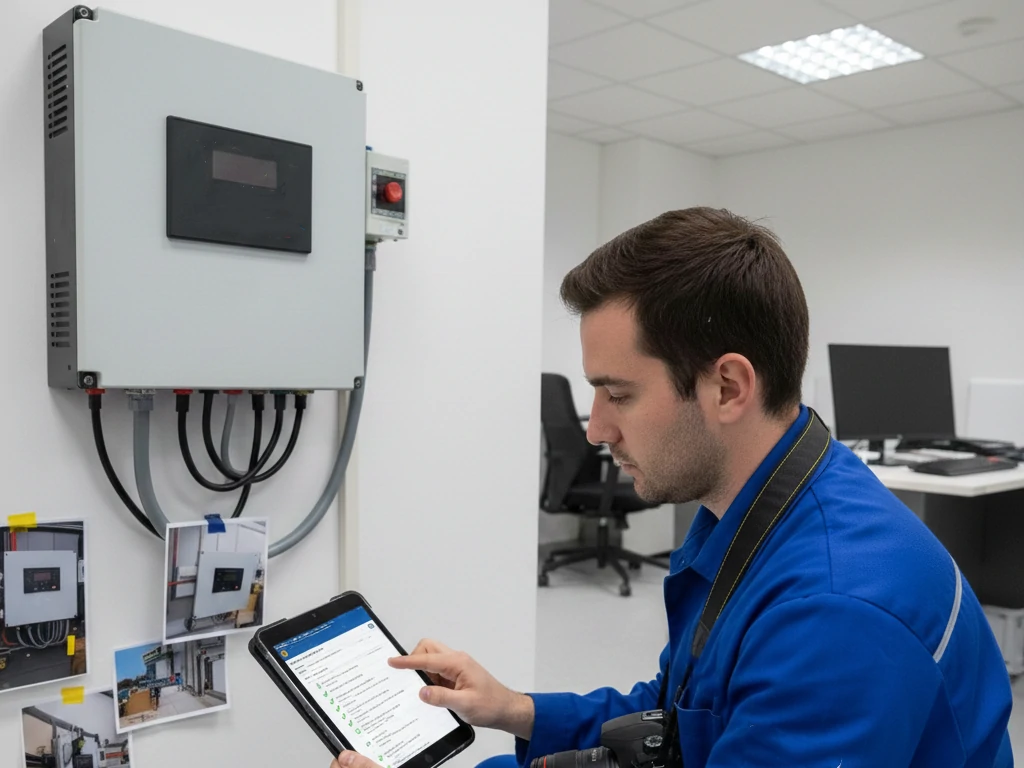
Tip from experience: Take photos during each inspection. Comparing them over time helps detect subtle changes that could indicate long-term issues.

Electrical Tests

Visual checks are important, but they only tell part of the story. Electrical testing ensures your inverter is functioning properly and that your PV system is safely producing energy.

  • Voltage and current verification: Measure input and output levels and compare them to expected specifications. Significant deviations can indicate issues with the inverter or the solar array itself.
  • Grounding and insulation checks: Ensure the inverter is properly grounded to avoid shocks or electrical faults. Insulation resistance tests help detect potential failures before they escalate.
  • String monitoring: Check if each string is producing the expected voltage and current. Uneven performance may point to panel degradation or wiring issues.

Practical insight: Even small deviations in voltage readings can reduce system efficiency over time. Regular monitoring keeps everything in check.

Thermal Inspection

Heat is a major threat to electronics. Components inside a solar inverter can degrade quickly if they operate too hot. Thermal inspections are essential to spot issues that aren’t visible to the naked eye.

  • Infrared imaging: Use a thermal camera to detect hotspots, which may indicate failing components, blocked airflow, or overworked fans.
  • Fan and heat sink inspection: Make sure fans are spinning freely and heat sinks are dust-free. Even slight obstructions can cause temperature spikes.
  • Temperature logging: Track inverter temperatures over time. Sudden increases can signal internal problems developing before they cause a shutdown.

Pro tip: Conduct thermal inspections during peak production hours. This is when the inverter experiences the most stress and is most likely to reveal hidden issues.

Cleaning and Dust Removal

Dust and debris are silent efficiency killers. A dusty inverter struggles to dissipate heat, causing fans to overwork and potentially shortening component life. Following a proper inverter cleaning guide is crucial:

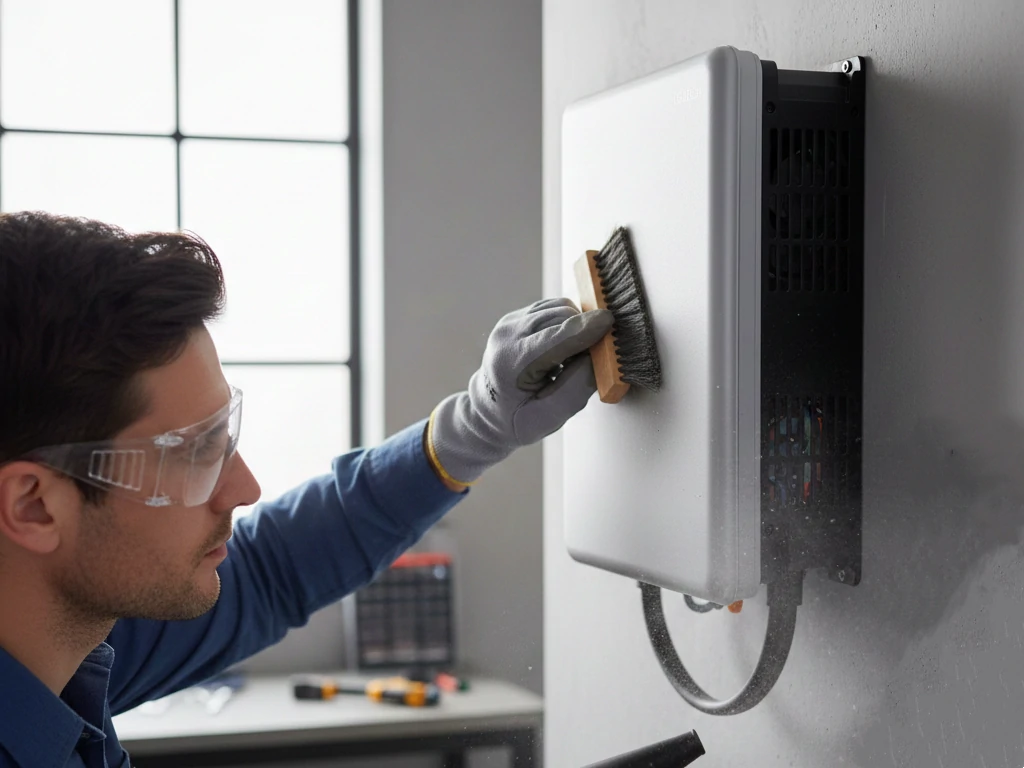
  1. Power down and isolate the inverter completely. Safety first.
  2. Use a soft brush or low-pressure air blower to remove dust from vents, fans, and the enclosure.
  3. Wipe the external surfaces with a slightly damp cloth—never spray water directly into the inverter.
  4. Focus on ventilation areas, heat sinks, and fan blades to ensure unobstructed airflow.

Experience tip: Regular cleaning every six months can prevent overheating and reduce noise from stressed fans. In high-dust environments, quarterly cleaning might be necessary.

Documentation and Record-Keeping

A proper preventive maintenance routine isn’t complete without good records. Documenting your inspections, tests, and cleaning ensures continuity, helps track trends, and justifies maintenance budgets.

  • Maintain a logbook or digital record of all inspections, including dates, photos, and any anomalies.
  • Note any replacements, repairs, or unusual readings.
  • Use these records to anticipate failures and plan proactive interventions.

Practical insight: Consistent documentation transforms maintenance from reactive to predictive. Over time, patterns emerge, helping you address minor issues before they escalate into major problems.

Using a Solar O&M Checklist for Consistency

Keeping your PV system healthy isn’t just about knowing what to do—it’s about doing it consistently. That’s where a solar O&M checklist comes in. Think of it as your maintenance roadmap, ensuring that every inspection, cleaning, and test is performed on schedule. Using a checklist not only standardizes your process but also helps you track system health over time, making preventive maintenance for solar inverters much more effective.

Why a Checklist Matters

Even experienced technicians can miss minor issues without a structured approach. A solar O&M checklist helps in several ways:

  • Consistency: Every inspection is done the same way, every time.
  • Documentation: You create a record that can be referred back to for troubleshooting or warranty purposes.
  • Efficiency: It prevents unnecessary repetition and ensures no step is skipped.
  • Predictive insights: Over time, your records can highlight patterns indicating potential failures, so you can address them before they become serious problems.

Pro tip: Treat the checklist as a living document. Update it as your system evolves or as you learn new preventive maintenance tips.

Structuring Your Solar O&M Checklist

A well-designed checklist should cover all components of your PV system, but here’s how to focus it on your solar inverter and related preventive maintenance tasks:

  1. Daily/Weekly Checks
  2. Observe inverter display and LED indicators.
  3. Monitor string output for anomalies.
  4. Note any unusual noises or vibrations.
  5. Monthly Checks
  6. Perform a quick visual inspection for dust, corrosion, or loose wires.
  7. Ensure vents and fans are clear of obstruction.
  8. Log system performance data.
  9. Quarterly Checks
  10. Conduct minor cleaning following your inverter cleaning guide.
  11. Check electrical connections for tightness.
  12. Inspect mounting and enclosure integrity.
  13. Biannual Checks
  14. Perform a thermal inspection using infrared tools.
  15. Examine heat sinks and fans more closely.
  16. Check firmware updates or error logs for recurring issues.
  17. Annual Checks
  18. Complete PV system health check, including panels, combiner boxes, and wiring.
  19. Replace worn-out components if needed.
  20. Review cumulative maintenance logs to spot trends.

Practical insight: By segmenting tasks this way, you avoid overloading a single maintenance session while ensuring nothing falls through the cracks.

Tips for Using a Checklist Effectively

  • Digital vs. paper: Digital checklists can store photos, log performance data, and set reminders, making it easier to track your solar inverter over time.
  • Assign responsibilities: If multiple people handle maintenance, clearly define who does what to prevent duplication or missed steps.
  • Include actionable notes: Record not just what you did, but what you observed and any anomalies. A note like “fan was noisy, monitor next month” can prevent failures.
  • Review and adapt: At the end of each year, review your checklist results. Are certain checks highlighting recurring issues? Adapt your maintenance plan accordingly.

Experience tip: Many small PV system owners skip structured checklists, but the professionals who use them consistently almost always enjoy longer inverter life and fewer unexpected repairs.

How a Checklist Supports Preventive Maintenance for Solar Inverters

A solar O&M checklist isn’t just about administrative order—it directly impacts system health:

  • Ensures all preventive maintenance for solar inverters tasks are performed systematically.
  • Helps identify underperforming inverters before they fail completely.
  • Provides a clear history for technicians to diagnose issues faster.
  • Supports warranty claims by documenting that maintenance was conducted on schedule.

By integrating a checklist into your maintenance routine, you transform reactive troubleshooting into proactive care, which is the essence of effective preventive maintenance.
Solar O&M checklist

PV System Health Check: The Bigger Picture

A PV system health check is more than just looking at your solar inverter. It’s a holistic review of your entire solar installation to make sure every component—from panels to wiring—is performing optimally. Think of it as a full “physical exam” for your solar system. While preventive maintenance for solar inverters is critical, examining the bigger picture ensures that the inverter isn’t overworked due to issues elsewhere in the system.

Regular system health checks improve efficiency, extend equipment life, and prevent unexpected downtime. Here’s how to approach it effectively.

Inspecting Solar Panels

Your panels are the primary energy source, so they directly affect how your inverter operates. Even a small problem with panels can ripple through your system.

  • Panel cleanliness: Dust, bird droppings, and leaves can reduce output. Regular cleaning keeps production high.
  • Physical damage: Check for cracks, discoloration, or delamination. Damaged panels produce less energy and can strain the inverter.
  • Mounting security: Ensure panels are firmly attached and free from corrosion or loose bolts. Strong winds or thermal expansion can loosen mounts over time.

Pro tip: Panels under partial shade or with debris can cause string imbalances, leading to inverter inefficiencies. Catching these early during a health check is crucial.

Inspecting Wiring and Connections

Even if your panels and inverter are in perfect condition, faulty wiring can compromise the whole system.

  • Check for wear and tear: Look for insulation cracks, rodent damage, or UV degradation.
  • Tighten connections: Loose wires at junction boxes or combiner boxes can cause energy loss and overheating.
  • Look for corrosion: Corroded terminals increase resistance, which can reduce inverter efficiency and trigger faults.

Experience insight: Small electrical issues often start quietly but escalate quickly. Regular checks keep your solar inverter running without unexpected shutdowns.

Inspecting Balance-of-System Components

A PV system has more than just panels and an inverter. Components like combiner boxes, fuses, disconnects, and surge protectors play vital roles.

  • Combiner boxes: Ensure no moisture, corrosion, or burnt connections.
  • Fuses and breakers: Verify that ratings are correct and components are functioning.
  • Disconnect switches: Test operation and inspect for mechanical wear.

A thorough PV system health check ensures all these components support the inverter rather than hinder it. Neglecting balance-of-system components can lead to unexpected faults or inverter trips.

Performance Monitoring

Checking numbers is as important as inspecting hardware. Compare real-world production data with expected performance to identify underperforming components.

  • String performance: Detect mismatched panels or degraded modules that strain the inverter.
  • Energy yield trends: Look for dips in production that could indicate shading, panel soiling, or electrical issues.
  • Temperature and environmental impact: High ambient temperatures or shading patterns affect inverter efficiency. Monitoring helps you anticipate problems before they trigger faults.

Practical tip: Keep logs of energy production over months. Patterns can reveal slow degradation that might otherwise go unnoticed.

Thermal Inspection of the Whole System

Heat affects not just the inverter but also panels and connections. During a system health check, use thermal imaging to identify:

  • Hotspots on panels: Can indicate cell damage or shading issues.
  • Overheating wires or connectors: Often a sign of poor contact or corrosion.
  • Inverter and combiner box temperature anomalies: Could indicate airflow issues or internal component stress.

Pro tip from experience: Thermal checks reveal issues invisible to the naked eye and help prevent inverter overwork and failures.

Documenting Your PV System Health Check

Documentation is key to making your health checks actionable:

  • Record inspection dates, issues found, and corrective actions taken.
  • Include photos of panel damage, loose connections, or dusty components.
  • Maintain historical performance data to track trends and anticipate maintenance needs.

Experience insight: A well-documented PV system health check complements your solar O&M checklist, giving technicians and owners a clear overview of system performance and maintenance history.

How a PV System Health Check Supports Preventive Maintenance for Solar Inverters

By conducting a comprehensive system health check, you protect the heart of your PV system—your solar inverter.

  • Ensures panels are producing the expected power, preventing inverter overload.
  • Detects wiring and connection issues before they cause faults.
  • Verifies balance-of-system components are functioning properly.
  • Provides actionable data that informs preventive maintenance schedules.

In short, a PV system health check isn’t optional—it’s essential for keeping your solar inverter and the entire system operating at peak efficiency, reducing unexpected downtime, and extending equipment life.
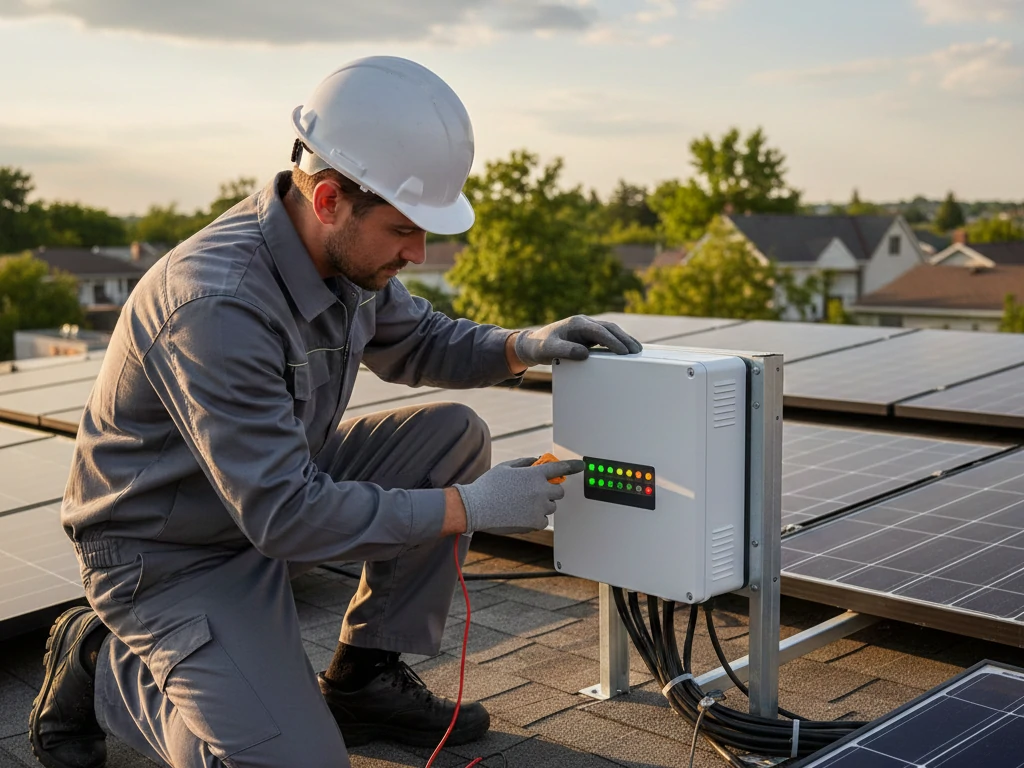
inverter cleaning guide

Preventive Maintenance Tips Based on Real-World Experience

Theory is great, but the best insights often come from hands-on experience. Over the years of working with solar PV systems, I’ve noticed that a few practical habits can dramatically improve the lifespan and efficiency of your solar inverter. Combining these real-world tips with structured preventive maintenance routines ensures your system stays reliable and productive.

Schedule Maintenance Around Weather Conditions

Timing matters more than most people realize. Performing maintenance on a scorching hot day or during a downpour can be risky and less effective.

  • Hot days: Electronics inside the inverter already run hotter. Performing thermal inspections or opening enclosures in direct sunlight may skew readings or increase risk.
  • Rainy or humid days: Moisture can infiltrate enclosures, posing safety hazards and risking short circuits.

Pro tip: Plan preventive maintenance during mild weather, early mornings, or late afternoons. Not only is it safer, but your PV system health check and thermal inspections will be more accurate.

Prioritize Safety with Proper Gear

Even the simplest tasks like cleaning the inverter fan or checking wires require attention to safety.

  • Insulated gloves and tools: Protect against accidental shocks.
  • Safety glasses: Dust, small debris, or insects can cause eye injuries.
  • Proper footwear: Especially for rooftop systems, slip-resistant shoes are essential.

Experience insight: Many minor injuries or equipment mishaps happen because owners underestimate the risks during preventive maintenance for solar inverters.

Don’t Ignore Firmware and Software Updates

Modern inverters often include monitoring software that can be updated remotely. Ignoring updates can mean missing performance improvements or bug fixes.

  • Check for official inverter software or firmware updates during your routine.
  • Record any update applied in your solar O&M checklist.
  • Understand any new warnings or error codes after updates—they may change how you interpret system behavior.

Practical tip: Updating firmware periodically can prevent false alarms and ensure your inverter operates at peak efficiency.

Monitor and Respond to Minor Warnings Promptly

Small anomalies often precede major failures. Over time, ignoring minor warnings can lead to costly repairs.

  • Flickering LEDs, unusual noises, or slight temperature spikes shouldn’t be dismissed.
  • Document these in your PV system health check logs.
  • Schedule targeted inspections or preventive fixes before problems escalate.

Pro insight: Acting on early warning signs often reduces downtime and prevents emergency interventions that can disrupt your energy production.

Balance DIY and Professional Maintenance

Some preventive maintenance tasks are safe and effective for system owners to perform, while others require professional expertise.

  • DIY tasks: Visual inspections, minor cleaning following an inverter cleaning guide, checking LED indicators, and recording system data.
  • Professional tasks: Electrical testing, insulation resistance measurements, thermal imaging, and internal component repairs.

Experience tip: A hybrid approach—owner checks combined with annual professional inspections—offers the best balance of safety, cost efficiency, and system reliability.

Keep a Maintenance Routine and Logbook

Consistency is key. Real-world experience shows that systems with structured maintenance routines rarely experience unexpected failures.

  • Maintain a logbook or digital record for each preventive maintenance session.
  • Record all inspections, cleaning, readings, and observations.
  • Review logs periodically to identify trends, like gradual fan wear or recurring temperature anomalies.

Pro tip: Your logs complement a solar O&M checklist, turning preventive maintenance for solar inverters from a task into a predictive strategy.

Seasonal Adjustments for Preventive Maintenance

Different seasons present unique challenges, and real-world experience highlights the importance of adapting your routine:

  • Summer: Focus on heat management—thermal inspections, fan performance, and ventilation checks.
  • Winter: Inspect for moisture ingress, corrosion, and ice accumulation around panels or enclosures.
  • Rainy season: Ensure all enclosures are watertight and check cable runs for potential leaks or pooling water.

Insight: Seasonal adjustments keep your solar inverter running efficiently year-round, preventing minor environmental effects from turning into major failures.

Use the Right Tools for Maximum Effectiveness

Having the right tools makes preventive maintenance safer, faster, and more accurate.

  • Insulated hand tools and screwdrivers
  • Multimeter for voltage, current, and continuity checks
  • Infrared thermometer or thermal camera for detecting hotspots
  • Brushes, air blowers, and cloths for cleaning fans and heat sinks
  • Digital logs or apps for structured documentation

Experience tip: Even small tools like a soft brush or infrared thermometer can make the difference between catching an issue early or missing it entirely.

Common Issues Preventive Maintenance Can Prevent

Regular preventive maintenance can help you avoid these common inverter issues:

  1. Overheating: Dust and poor ventilation are often the culprits.
  2. Fan failure: Preventive inspection and cleaning extend fan life.
  3. Electrical faults: Loose wires or corroded connectors can cause sudden failure.
  4. Firmware glitches: Keeping software updated prevents unexpected errors.

Early Warning Signs of Solar Inverter Failure

Knowing the red flags can save you time and money:

  • Flickering or blinking LEDs
  • Unexplained shutdowns
  • High operating temperatures
  • Strange noises from fans or internal components

Catching these early often means a simple fix instead of a costly replacement.
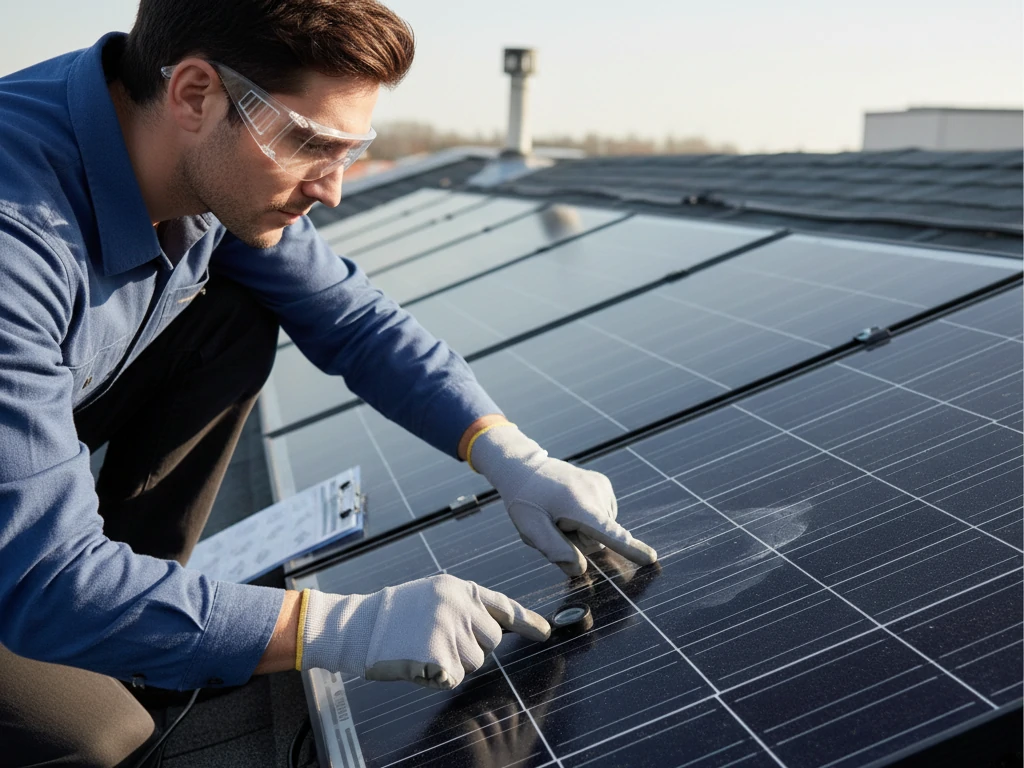
PV system health check

Tools and Equipment for Effective Maintenance

Having the right tools makes preventive maintenance safer and more efficient:

  • Insulated screwdrivers and pliers
  • Digital multimeter for voltage/current checks
  • Infrared thermometer or thermal camera
  • Soft brushes, air blower, and damp cloth for cleaning
  • Logbook or digital maintenance app

Conclusion: Make Preventive Maintenance a Habit

Maintaining your solar inverter isn’t just a technical task—it’s a commitment to reliability, efficiency, and safety. By following a structured preventive maintenance routine, utilizing a solar O&M checklist, performing a PV system health check, and following a proper inverter cleaning guide, you can dramatically extend the life of your inverter and maximize your energy yield.
Remember, a little proactive care goes a long way. In the world of solar energy, prevention truly beats correction.

FAQs on Preventive Maintenance for Solar Inverters

How often should solar inverters be inspected?

Ideally, perform a visual inspection monthly, minor cleaning and checks quarterly, and a full professional check annually. High-temperature environments may require more frequent attention.

How to clean solar inverter fans and heat sinks?

Turn off and isolate the inverter, then use a soft brush or low-pressure air blower. Never spray water directly. Focus on removing dust and debris from fans, heat sinks, and ventilation channels.

Does regular maintenance extend the life of an inverter?

Absolutely. Consistent preventive maintenance reduces stress, prevents overheating, and catches minor issues before they become major failures, extending your inverter’s life by years.

What are the signs that a solar inverter is about to fail?

Look out for blinking LEDs, repeated fault codes, unusual heat patterns, and loud fan noises. Minor warning signs often precede major failures.

Can remote diagnostics replace on-site maintenance?

Remote diagnostics are useful for monitoring performance and detecting anomalies but cannot fully replace on-site preventive maintenance. Physical inspections and cleaning remain essential.