



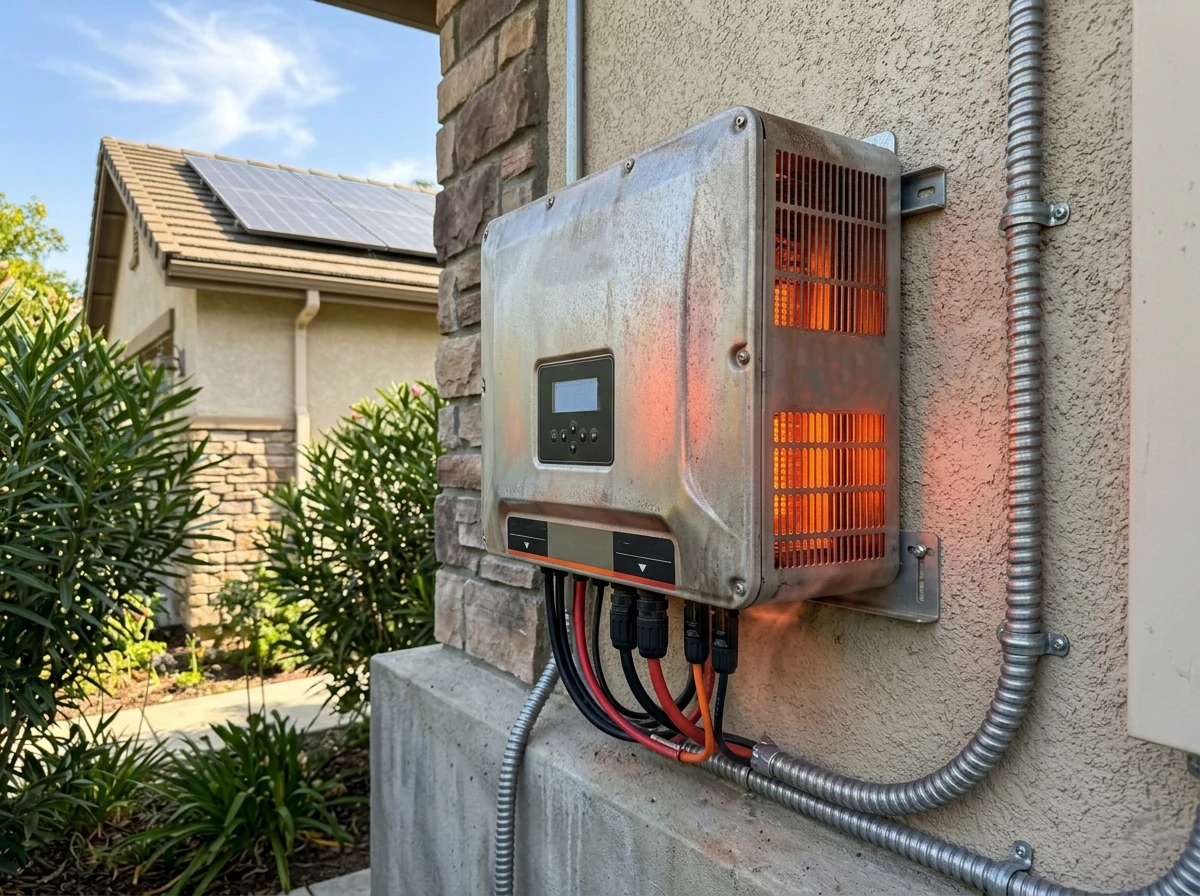
If you’ve ever looked at your solar production data on a blazing hot afternoon and thought, “Wait… shouldn’t I be generating more power right now?”—you’re not alone.
What you’re seeing is often inverter thermal derating in action.
It’s one of those quiet, behind-the-scenes issues that doesn’t get enough attention, yet it can shave off a surprising amount of energy yield over time. And if you’re operating in hot climates or pushing your system hard, it becomes even more critical.
In this guide, we’re going deep—real deep—into inverter thermal derating, how it works, why it happens, and most importantly, how you can reduce or even avoid it. Along the way, we’ll connect it with high temp PV performance, practical inverter heat sink maintenance, and smart cooling fan O&M strategies so you can get every watt your system is capable of.
At its core, inverter thermal derating is a protective mechanism.
When a solar inverter gets too hot, it automatically reduces its output power to prevent internal damage. Instead of shutting down completely, it “backs off” its performance.
Sounds reasonable, right?
But here’s the catch: every time inverter thermal derating kicks in, you’re losing energy production.
In theory, your inverter is rated to deliver a certain output—say 50 kW. But that rating is typically based on standard test conditions, not the brutal heat of a rooftop in summer.
In real-world conditions:
And just like that, inverter thermal derating starts to creep in.
Let’s be blunt: inverter thermal derating costs money.
Even a small percentage drop in output—say 5–10% during peak sun hours—adds up over months and years. In hot regions, it’s not uncommon for poorly managed systems to lose 15% or more of potential energy due to inverter thermal derating.
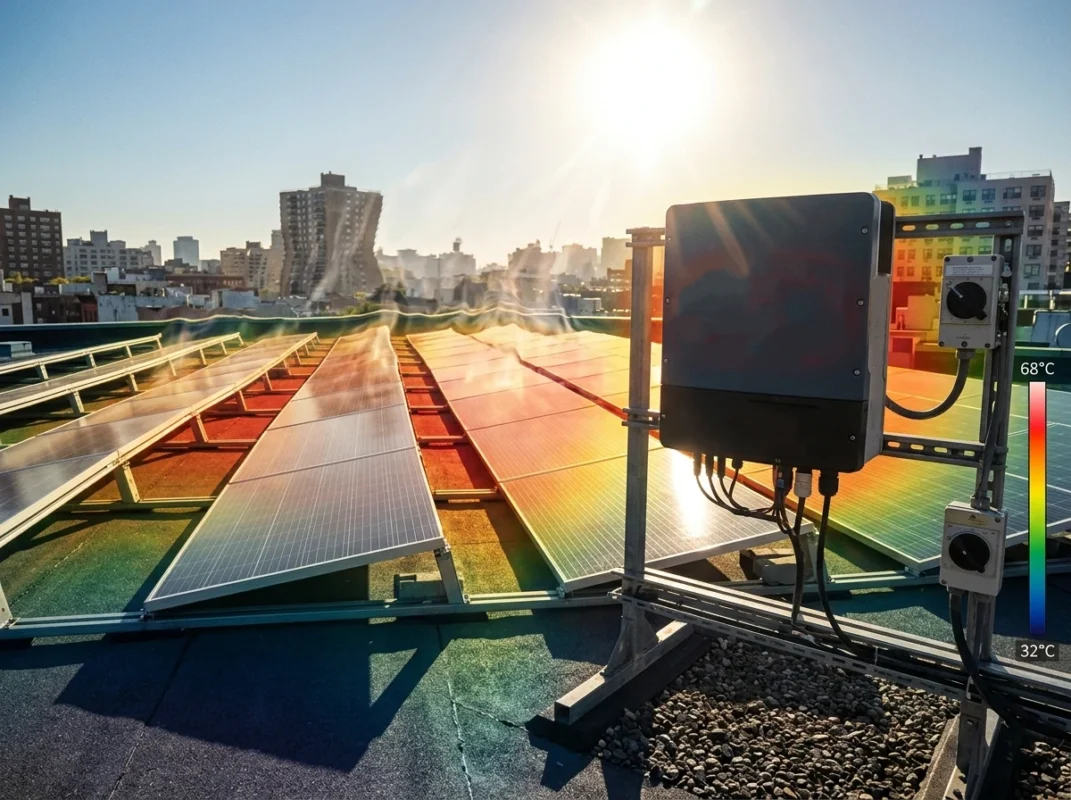
Understanding inverter thermal derating is key to keeping your solar system performing at its best. Many people see their system’s output drop on hot days and assume something is broken—but often, it’s just the inverter protecting itself from overheating. Let’s break down how this process works in a practical, hands-on way.
Every solar inverter has built-in internal temperature thresholds. Think of these like warning lines on a thermometer. Once the inverter’s internal components reach these limits, the system automatically reduces its output to avoid damage. It’s a gradual process: at first, the inverter might drop only a few percent of its rated power, but as temperatures climb, it throttles further. If things get extreme, the inverter will shut down entirely to protect semiconductors, capacitors, and other sensitive parts. In short, these thresholds are the inverter’s way of saying, “I’m too hot—let me take a step back.”
The output reduction isn’t random—it follows a power vs temperature curve. At normal operating temperatures, your inverter delivers 100% of its rated power. As the internal temperature rises into the warm zone, output begins to taper. In the hot zone, derating becomes aggressive, sometimes reducing output by 20–30%. Finally, if temperatures hit critical levels, the inverter may shut down completely. For operators, understanding this curve is crucial because it helps anticipate when and why derating occurs, especially during peak sun hours in warm climates.
Not all parts of an inverter heat up—or tolerate heat—the same way. Power semiconductors are particularly sensitive and often trigger early derating, while capacitors and transformers follow closely behind. Even a small hotspot on a heat sink can start throttling output. This is why regular inverter heat sink maintenance and proper cooling fan O&M are so important—they ensure heat is evenly dispersed, reducing hotspots and delaying thermal derating. In practice, monitoring component temperatures and maintaining cooling systems can prevent minor overheating from turning into significant inverter thermal derating events.
By understanding internal thresholds, the power-temperature relationship, and component sensitivity, operators can manage inverter thermal derating proactively, protecting their system and maximizing energy output even under challenging conditions.
When the sun is blazing, it’s not just the panels that feel the heat—your solar inverter does too. Understanding how high temperatures affect both the panels and the inverter is crucial for anyone looking to maximize system output.
Here’s the reality: as panel temperatures rise, their efficiency drops—a phenomenon often referred to as reduced high temp PV performance. At the same time, the inverter starts to heat up internally. When it reaches certain thresholds, inverter thermal derating kicks in, reducing the power it converts to AC. The combination of these two effects is what I like to call the “heat double whammy.” You’re losing power at the source (panels) and again at the conversion stage (inverter). In hot climates, this can be a significant chunk of daily energy lost if not addressed proactively.
For system designers and operators, ignoring this link can be costly. It’s not just about selecting high-efficiency panels—it’s about considering how the system performs under extreme heat. Factors like airflow around the inverter, spacing between components, and placement relative to direct sunlight all play a role in mitigating inverter thermal derating. In practice, pairing panels that handle high temperatures well with inverters that have robust cooling ensures you’re not losing watts unnecessarily. Simple layout adjustments can reduce heat stress and improve both high temp PV performance and inverter reliability.
Let’s look at a practical scenario. Imagine a rooftop system in a desert region: panel temperatures rise to 65°C on a midday peak. Panels may lose 10–15% efficiency due to heat. Simultaneously, the inverter reaches its thermal threshold, triggering inverter thermal derating and further reducing output by 10%. When you add these losses together, total energy production is down by roughly 20–25%—all because heat wasn’t managed properly. Operators who anticipate this can install ventilated enclosures, implement inverter heat sink maintenance, or add passive shading to reduce internal temperatures and minimize derating. Small interventions like these can significantly improve overall yield in high-temperature environments.
Even the best solar inverter can suffer from performance losses if the system isn’t designed, installed, and maintained properly. Understanding the root causes of inverter thermal derating is essential for both installers and operators who want to maximize energy yield. Let’s break down the main culprits and discuss practical ways to address them.
Location matters—more than most people realize. Installing an inverter in direct sunlight, inside cramped or unventilated spaces, or near heat-reflective surfaces can quickly drive internal temperatures past safe limits. In this scenario, inverter thermal derating becomes inevitable. Ideally, the inverter should be placed in a shaded, well-ventilated area. Even simple measures like positioning it on a north-facing wall (in the northern hemisphere) or using reflective barriers can significantly reduce heat stress. The difference is not just theoretical—proper placement alone can delay derating by several degrees, translating to hours of extra daily energy output over the course of a year.
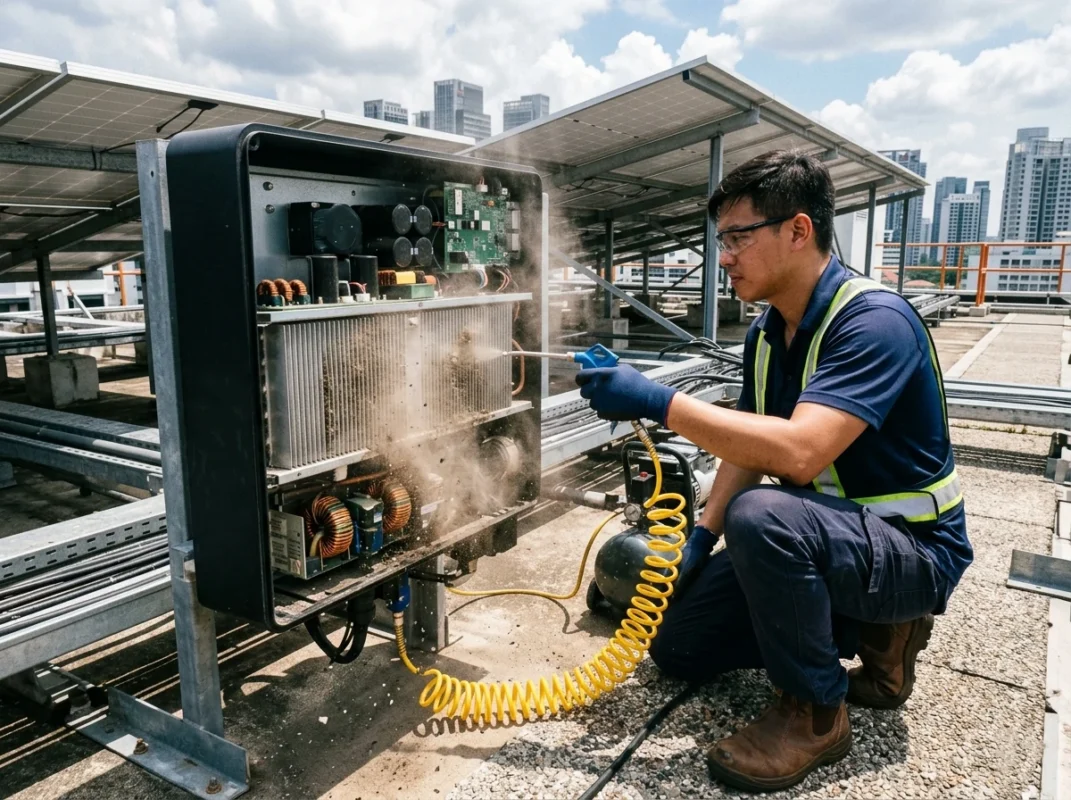
Many people overlook dust as a performance killer. Over time, dust and debris settle on the inverter heat sink and intake vents, insulating heat and reducing airflow. This is where inverter heat sink maintenance comes into play. A lightly coated heat sink may seem harmless, but even a thin layer of dust can raise internal temperatures enough to trigger inverter thermal derating. Regular cleaning—using compressed air or a soft brush—ensures the heat sink can dissipate heat efficiently. In particularly dusty environments, monthly inspections may be necessary, while cleaner climates may require quarterly maintenance. Ignoring this simple step is one of the fastest ways to see consistent power reductions during hot weather.
Cooling fans are the unsung heroes of thermal management. They actively push air through the inverter, removing heat from critical components. When fans fail or lose efficiency due to worn bearings, dust buildup, or electrical issues, the system’s cooling capacity drops dramatically. Poor cooling fan O&M directly leads to inverter thermal derating, sometimes within hours of a fan failure in high-heat conditions. Proactive maintenance—regular inspection, cleaning, and timely replacement of worn fans—is crucial. Many operators have seen dramatic performance gains simply by ensuring fans operate correctly, highlighting that mechanical upkeep is as important as the inverter’s electrical design.
Finally, oversizing the DC input to an inverter can inadvertently accelerate inverter thermal derating. Pushing more DC power than the inverter can efficiently handle under high temperatures forces internal components to work harder, generating more heat. This is a common scenario in systems designed with extra panel capacity to account for shading or seasonal variation. While oversizing can sometimes increase annual energy yield, it comes at the cost of higher temperatures and more frequent derating events if cooling isn’t optimized. Balancing input sizing with ambient conditions, ventilation, and inverter heat sink maintenance ensures that the system doesn’t self-limit during peak sun hours.
Preventing inverter thermal derating starts long before the inverter ever sees the sun. Thoughtful installation strategies can make a huge difference in both daily energy output and long-term equipment life. By focusing on location, airflow, and simple heat mitigation techniques, you can keep your inverter running efficiently even in high-temperature conditions.
Where you install your solar inverter is arguably the most important factor in controlling inverter thermal derating. Avoid placing it in direct sunlight, inside small enclosures, or near surfaces that radiate heat. Instead, look for shaded areas or north-facing walls (in the northern hemisphere) that naturally stay cooler. Even modest shading can lower internal temperatures by several degrees, delaying thermal derating and maintaining higher output during peak sun hours. If you’re designing a system in a hot climate, location choices alone can reduce energy loss without adding complicated cooling systems.
Airflow is often underestimated but is critical for reducing inverter thermal derating. Inverters need space around all sides to let heat escape. Leave sufficient clearance above, below, and beside the unit, and ensure there’s nothing obstructing vents or heat sinks. Even small improvements in ventilation can prevent hotspots inside the inverter, reducing the frequency and severity of thermal derating events. For enclosed installations, consider adding passive vents or small fans to enhance airflow, but always ensure they’re maintained regularly to avoid dust buildup. Proper airflow is the simplest, most cost-effective way to keep internal temperatures manageable.
Another practical strategy is to install reflective materials around or behind the inverter. Reflective barriers reduce the amount of radiated heat reaching the unit, keeping its surface cooler and lowering internal temperatures. This passive technique is especially useful in rooftop or wall-mounted installations exposed to high solar intensity. Combined with shading and good airflow, reflective barriers can significantly delay the onset of inverter thermal derating, improving both efficiency and the long-term lifespan of your equipment.
By carefully selecting the installation location, ensuring proper airflow, and using reflective barriers, operators can minimize the impact of heat on their inverters. These strategies don’t just prevent inverter thermal derating—they help maintain consistent energy production, protect sensitive components, and maximize the return on investment for your solar system.
One of the most overlooked yet critical aspects of keeping a solar inverter running efficiently is proper inverter heat sink maintenance. Heat sinks are the silent workhorses that draw heat away from sensitive components. Neglecting them is a surefire way to trigger inverter thermal derating, even on relatively mild days.
Heat sinks act as the primary pathway for transferring heat from the inverter’s internal electronics to the surrounding air. When dust, dirt, or debris accumulates, this transfer becomes less efficient. Even a thin layer of dust can insulate the metal, causing semiconductors, capacitors, and other critical parts to heat up faster. As temperatures climb, inverter thermal derating kicks in to protect these components. Maintaining clean and unobstructed heat sinks ensures that your inverter can operate closer to its rated output, reducing energy losses during peak sun hours and extending the lifespan of the system.
Proper inverter heat sink maintenance is straightforward but requires attention to detail. Here’s a practical approach:
Following these steps ensures the heat sinks function as intended, preventing unnecessary inverter thermal derating and maintaining consistent system performance.
How often you clean depends on your environment. In dusty or desert regions, monthly inspections and cleaning may be necessary to keep heat sinks efficient. In cleaner or indoor environments, quarterly checks are often sufficient. The key is consistency—regular inverter heat sink maintenance prevents minor dust accumulation from turning into significant heat-related derating issues. Many operators find that simply keeping heat sinks clean reduces derating events noticeably, sometimes restoring several percentage points of lost output during hot periods.
In short, heat sinks may seem like passive components, but they’re critical to managing inverter thermal derating. Regular, attentive maintenance protects your investment, improves daily energy yield, and reduces stress on the inverter’s internal components. Treating heat sinks as a priority rather than an afterthought is one of the simplest, most effective ways to keep a solar system performing at its best.
Fans might seem like minor components in a solar inverter, but their role in preventing inverter thermal derating is massive. Proper cooling fan O&M ensures that heat is moved away from sensitive electronics efficiently, keeping the inverter running near its rated output even in high-temperature conditions. Neglecting fans can lead to frequent derating and even long-term damage.
Cooling fans actively circulate air through the inverter, pulling heat away from critical components like power semiconductors, capacitors, and heat sinks. While heat sinks passively dissipate warmth, fans enhance this process, especially when ambient temperatures rise or airflow is restricted. Without functioning fans, even a well-maintained heat sink may not be enough to prevent inverter thermal derating, particularly during peak sunlight hours. In essence, fans act as the system’s internal air-conditioning, keeping components cool and output steady.
Even small problems with fans can have big consequences. Common issues include:
Each of these can quickly elevate internal temperatures and trigger inverter thermal derating, sometimes without any obvious warning signs until you notice reduced power output.
Effective cooling fan O&M doesn’t need to be complicated. Here are some practical tips:
Regular attention to fans not only reduces the likelihood of thermal derating but also extends the inverter’s lifespan. Many operators find that maintaining cooling fans consistently can restore several percentage points of lost energy output during hot periods. It’s a small component, but its impact on performance and reliability is huge.
For systems in hot climates or high-output installations, standard airflow and heat sink maintenance might not be enough. Implementing advanced cooling solutions can significantly reduce inverter thermal derating and keep energy production closer to rated levels.
Cooling strategies generally fall into two categories: passive and active. Passive cooling relies on heat sinks, natural convection, and well-ventilated enclosures to dissipate heat. It’s low-cost, low-maintenance, and effective in moderate climates. Active cooling, on the other hand, uses fans or forced air to accelerate heat removal. Active systems respond faster to rising temperatures and are more effective during peak sunlight hours. Combining passive and active methods often delivers the best results, balancing reliability and efficiency while minimizing inverter thermal derating.
In some cases, additional external measures can further reduce heat stress. Installing vents, ducts, or even small external fans to improve airflow can help the inverter maintain optimal internal temperatures. Reflective barriers or shade structures positioned strategically can prevent solar radiation from heating the enclosure excessively. These relatively simple interventions can lower internal temperatures by several degrees, directly delaying inverter thermal derating and improving daily energy output.
Liquid cooling is still uncommon in standard residential or small commercial systems, but it’s gaining traction for large-scale or high-power installations. By circulating a coolant through the inverter, heat is removed much more efficiently than air alone. While the installation cost and complexity are higher, liquid cooling virtually eliminates thermal spikes, reducing inverter thermal derating and extending component life. For most smaller systems, however, optimized airflow, inverter heat sink maintenance, and proper cooling fan O&M remain the most practical solutions.
Catching inverter thermal derating early is critical to maintaining consistent energy output and preventing long-term damage. Proactive monitoring allows operators to address issues before they significantly impact system performance.
There are several clear indicators that inverter thermal derating may be occurring. Sudden drops in AC output during peak sunlight, unexpected temperature alarms, or deviations from expected efficiency curves are common red flags. Even small, repeated dips in performance can signal that the inverter is operating near or beyond its thermal limits. Observing these signs early helps prevent extended periods of energy loss.
Modern monitoring systems make it easier to detect derating patterns. By tracking inverter temperature, power output, and ambient conditions over time, operators can identify trends such as daytime derating or seasonal performance drops. Data-driven insights allow you to plan maintenance, adjust installation layouts, or enhance cooling strategies before inverter thermal derating becomes a serious issue. Regularly reviewing system data ensures optimal performance and helps maximize energy yield throughout the year.
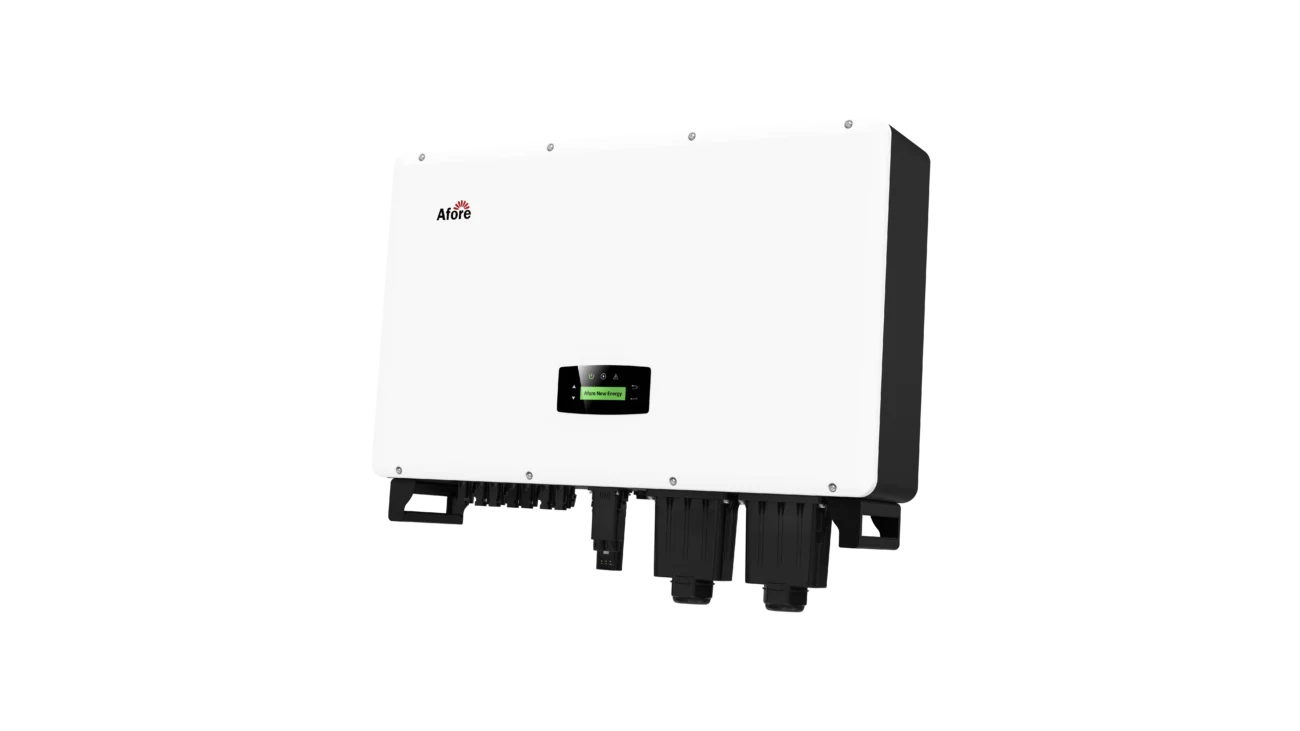
Managing inverter thermal derating isn’t just about theory—it’s about practical steps that operators can take in the field. Over years of experience, certain hands-on approaches consistently deliver better performance, even in hot climates.
Small reductions in inverter temperature can have surprisingly large effects on output. Even a 2–3°C drop can delay inverter thermal derating, maintaining higher AC power during peak sun hours. Simple interventions like improving ventilation, cleaning heat sinks, or adding minor reflective barriers often yield measurable gains. Operators who monitor temperature trends and act on minor hotspots prevent small issues from escalating into consistent derating events.
Routine maintenance is far more cost-effective than replacing overheated components. Regular inverter heat sink maintenance and cooling fan O&M prevent dust accumulation and airflow restrictions that often trigger inverter thermal derating. Many field operators find that consistent attention to these small details restores energy output lost to thermal throttling without the expense of hardware replacement. In practice, investing time in preventive maintenance pays off much more than reacting to failures.
While panel shading is widely practiced, inverter shading is often overlooked. Installing shade over or around the inverter reduces direct heat exposure, lowering internal temperatures and delaying inverter thermal derating. Even temporary or partial shading can reduce stress during the hottest part of the day. Combining this with clean heat sinks and functioning fans creates a comprehensive approach to managing heat and maximizing system yield.
Here’s the bottom line:
Inverter thermal derating isn’t something you can eliminate entirely—but it’s absolutely something you can control.
With smart installation, consistent inverter heat sink maintenance, reliable cooling fan O&M, and attention to high temp PV performance, you can dramatically reduce its impact.
And when you do?
You’re not just protecting your inverter—you’re unlocking the full earning potential of your entire solar system.
Because at the end of the day, every watt counts.
A solar inverter reduces its output when internal temperatures exceed safe thresholds. This is a protective mechanism to prevent damage to semiconductors, capacitors, and other sensitive components. Contributing factors include high ambient temperatures, poor airflow, dust accumulation on heat sinks, and cooling fan inefficiencies.
Mitigation strategies include installing the inverter in shaded, ventilated locations, performing regular inverter heat sink maintenance, ensuring proper cooling fan O&M, and, if possible, adding reflective barriers. Even small temperature reductions of a few degrees can delay derating and maintain higher daily energy output.
Yes. Shading the inverter from direct sunlight lowers the enclosure’s surface temperature, which directly reduces the likelihood of inverter thermal derating. Temporary, partial, or permanent shading solutions can all be effective, especially when combined with clean heat sinks and functioning cooling fans.
Turn off and disconnect the inverter before cleaning. Use compressed air or a soft brush to remove dust and debris from the heat sink fins. Avoid using water unless explicitly allowed by the inverter specifications. Regular cleaning ensures efficient heat transfer and minimizes the risk of inverter thermal derating.
Liquid cooling is not common in standard residential or small commercial systems but is occasionally used in large-scale or high-power installations. It efficiently removes heat from internal components, significantly reducing inverter thermal derating, though installation complexity and cost are higher than traditional air-cooling methods.
Inspection frequency depends on your environment. Dusty or desert regions may require monthly checks, while cleaner locations might be fine with quarterly inspections. Focus on heat sinks, cooling fans, and ambient conditions to detect early signs of derating.
Yes. Providing more DC power than the inverter can handle increases internal heat generation. Without proper airflow or cooling, this extra heat triggers inverter thermal derating to protect internal components.








 Turkish
  Romanian